
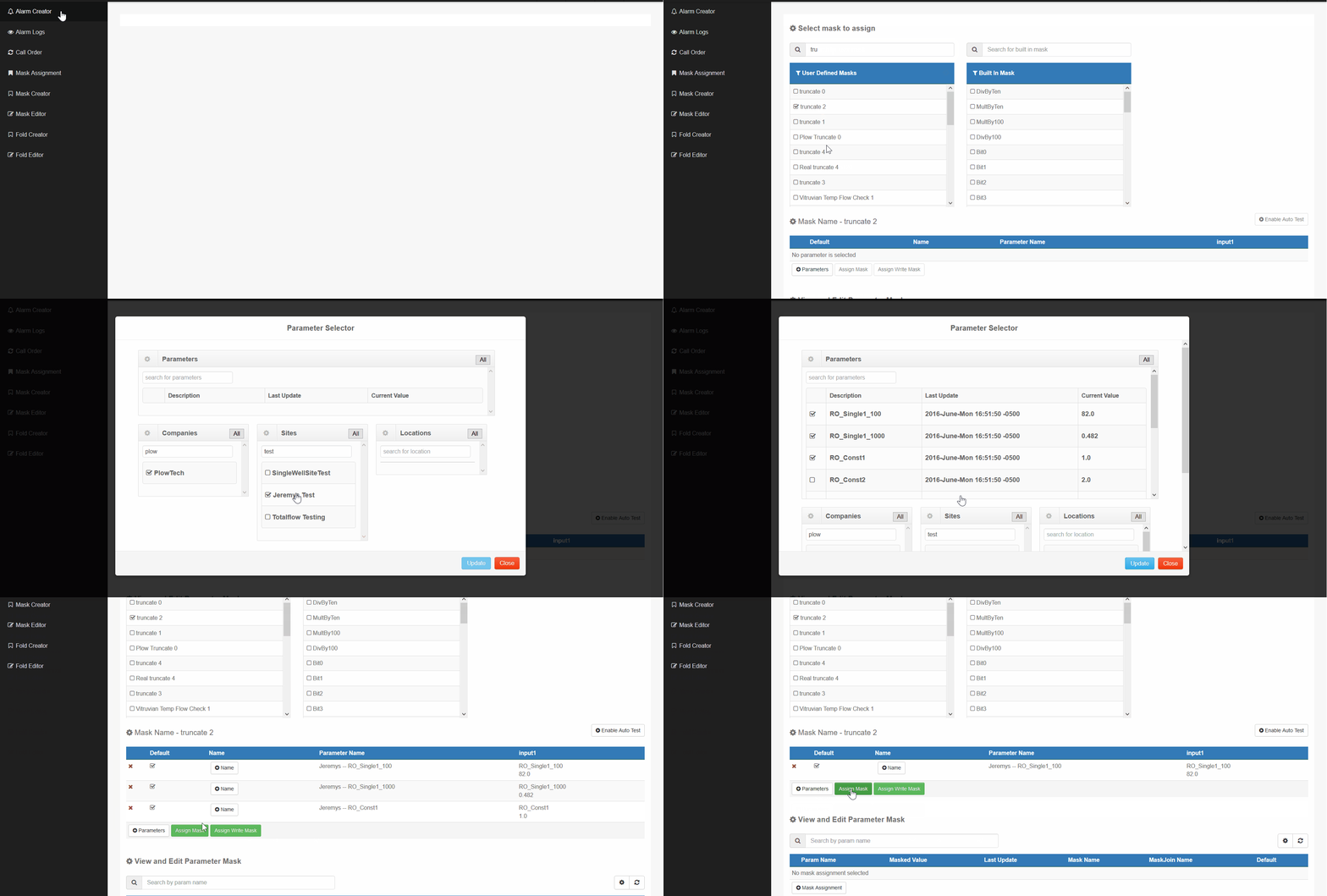
Use the Alarm Creator application.
1) Click on the Mask Assignment.
2) Under User Defined Masks, choose the mask you would like to assign to the parameter.
Examples to choose from. Truncate 0 through 5, are how many numbers you want after the decimal. DivBy1000, this is for if you have a large value and you want to make it a smaller value. DivBy60, is used to convert seconds to minutes.
3) Select Parameters button.
4) Parameter Selector window, will pop up after you select the Parameter button. Select which location and parameters you would like to mask.
5) After selecting your parameters, click on update.
6) The selected parameters will show. If the parameters you selected are right, click on Assign Mask.
7) Deleting a parameter you selected, click on the x and it will remove the parameter from the current ones selected.
Comments
0 comments
Please sign in to leave a comment.