
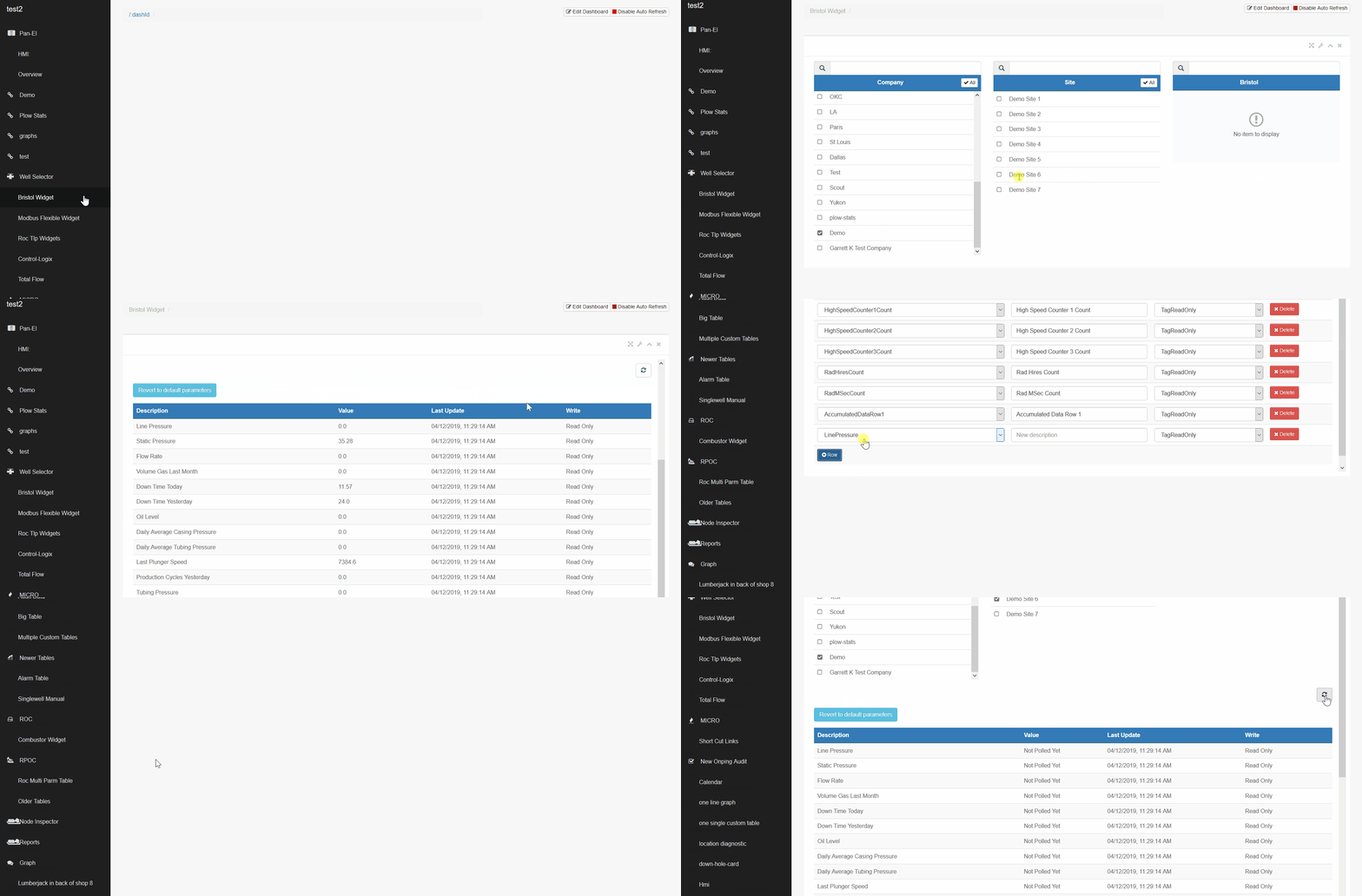
Importing individual parameters one at a time is beneficial if only a few new values need to be uploaded.
1) Click on the widget name that corresponds with the location device found on the main screen.
2) Search for the company, site, and location to bring up all parameters assigned to the well.
3) Click on "Edit Parameters" found at the bottom of the list.
4) Click "+ Row" to choose the parameter type, then fill out the description and the read/write capabilities. Repeat this step for all parameters you need to add to the Bristol, then click update.
5) Wait a few minutes after uploading parameters to see if they poll. You can force this poll by clicking the refresh button.
Comments
0 comments
Please sign in to leave a comment.