
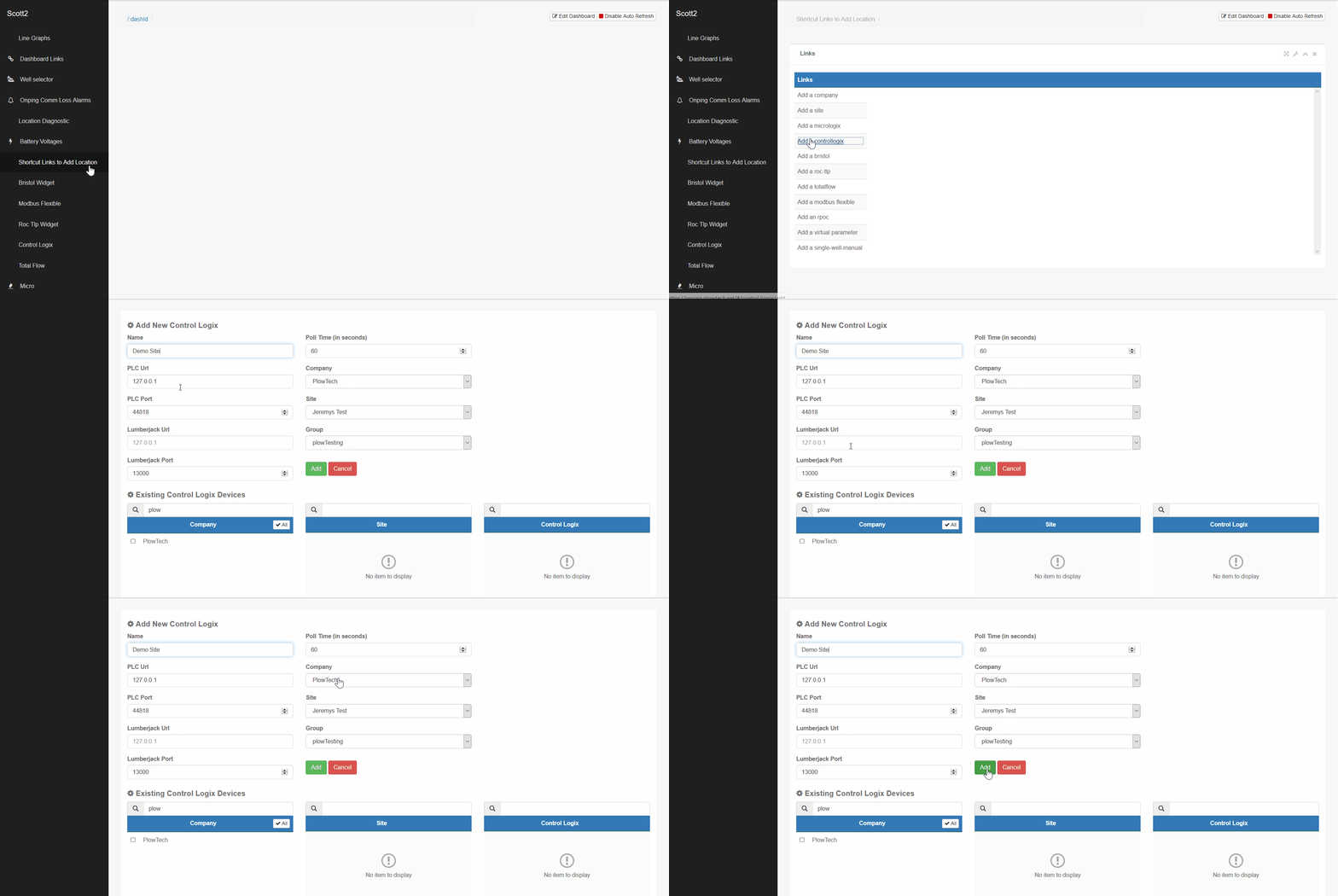
Before you can add a new control logix location, you have to create the site associated with it. You can find instructions on how to create a new site by following the "adding a new site" tutorial.
1) Click on the "shortcut links to add location" widget. Then, click the "add a controllogix" link.
2) Click the "+ controllogix" button found at the top left corner.
3) Name the controllogix and enter in the PLC URL, PLC port, lumberjack URL, and lumberjack port information. Choose the polling frequency, company, site, and group associated with the new location.
4) Click add, then search for the location to confirm the controllogix location was saved.
Comments
0 comments
Please sign in to leave a comment.