
While creating or editing virtual parameter, you have the choice to write your own script or choose an existing script. This guide explains how to use an existing script properly.
To select an existing script, click on "Use existing script" from the main screen. This will bring up the scripts selection screen.
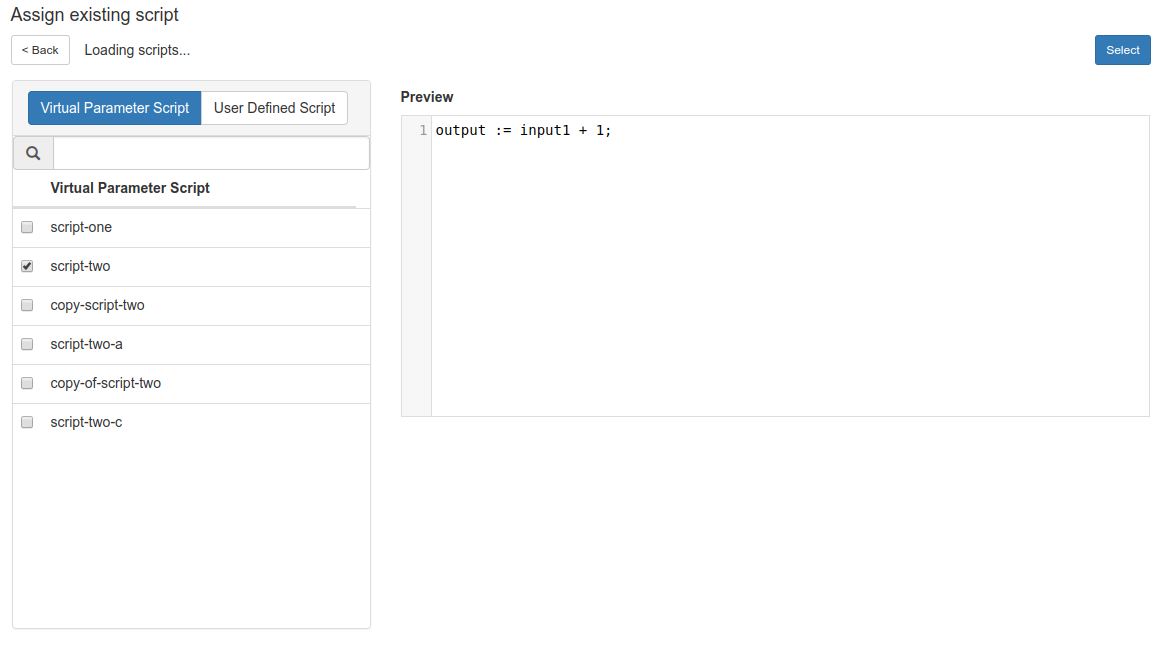
There are two types of script,
- Virtual Parameter Script - scripts written for virtual parameter
- User Defined Script - scripts written for use with mask
Both types of script will work with virtual parameter. Once you have selected the script of your choice, hit the "Select" button.
Shared Script
Once you have selected the script, you might get a warning that the script is shared with another virtual parameters. This little section explains how to deal with that.
A shared script is like any other script except that it is being used by another virtual parameters. The list of virtual parameters that shares the script is shown together inside the warning.
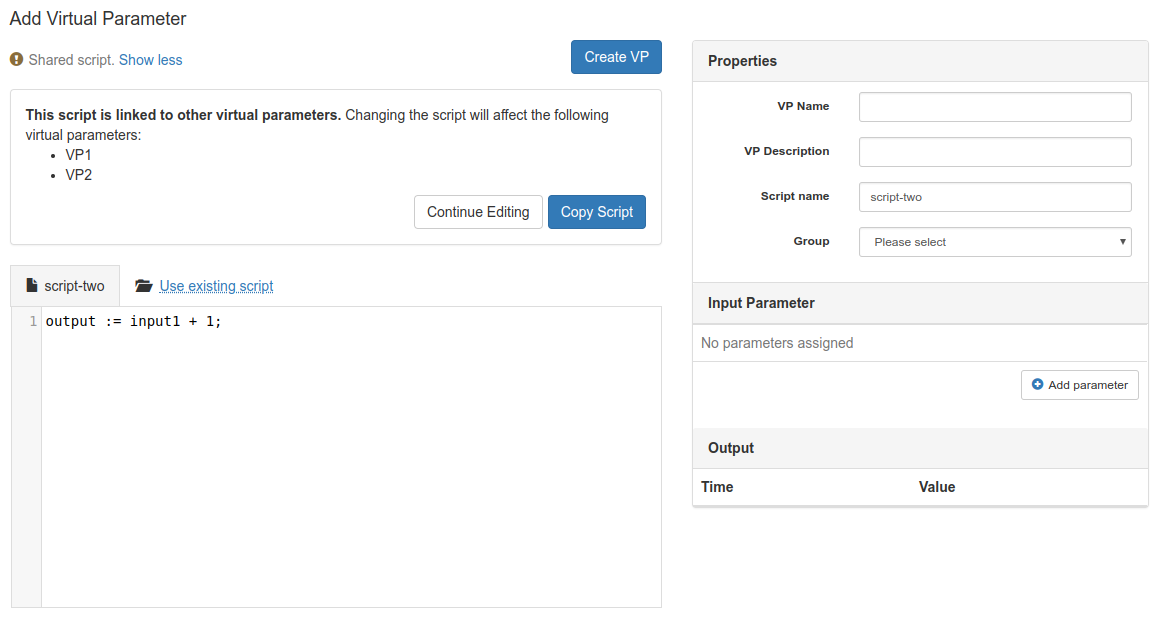
This has few consequences. The changes you made to the script will affect the output of all the linked virtual parameters that share the script. The changes are applied only during saving, so you're still safe editing them!
You can create a copy of the script by selecting "Copy Script" (Click "Show more" if you don't see the option). This creates a copy of the script and your changes won't affect all linked virtual parameters. You will notice that the warning go away.
If you decide to continue editing without copying the script, you will get to decide to either overwrite or create a copy when you click on "Create VP" when you're done with making changes to the script.
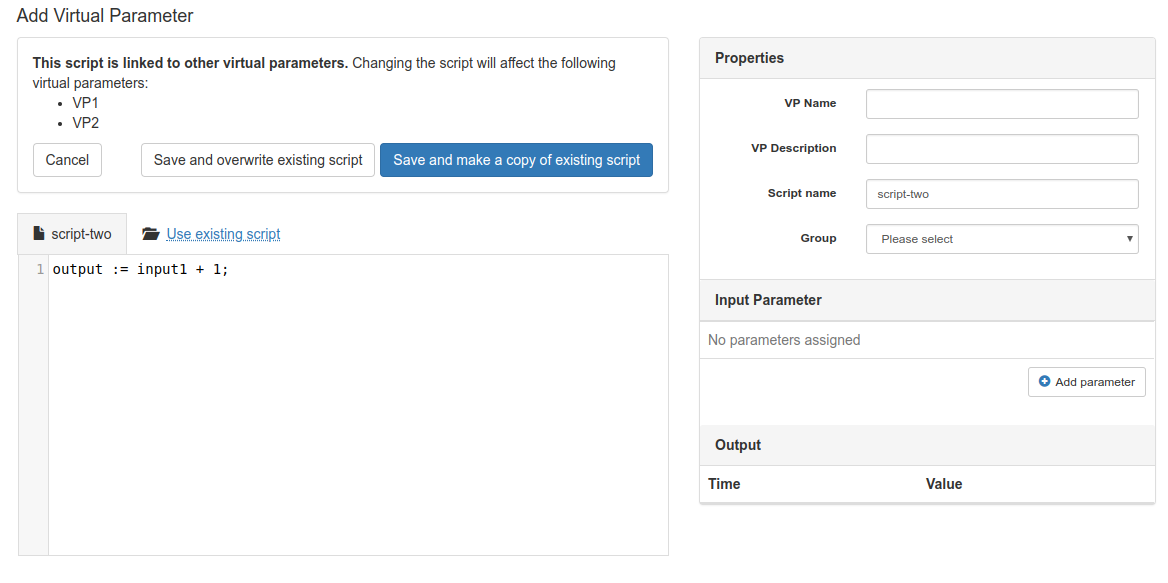
In case of doubt and you're not sure whether to create a copy or overwrite an existing script, we suggest to create a copy to avoid unexpected behavior to existing virtual parameters.
Comments
0 comments
Please sign in to leave a comment.